Make your next knife, share, and learn.
Start with a template, shape your own design and print it at actual size. Share your work, ask questions and learn from other makers.
Design and print at actual size, right in your browser.
- Template
- Gyuto 牛刀
- Length
- 210 mm
- Print scale
- 1:1
Starting shapes
Profiles to start from, change and print. Draw and share your own on your maker profile.
A few favourites
-
- Kitchen / Hidden tang
- Gyuto 牛刀
- Sizes
- 210 · 240 mm
- Maker
- Price
- Free
-
- Kitchen / Hidden tang
- Bunka 文化
- Sizes
- 165 · 180 mm
- Maker
- Price
- Free
-
- Kitchen / Hidden tang
- Deba 出刃
- Sizes
- 165 mm
- Maker
- Price
- Free
-
- Outdoor utility / Full tang
- Full tang utility
- Sizes
- 103.5 mm
- Maker
- Price
- Free
-
- Drop points / Full tang
- Choil drop point
- Sizes
- 100 mm
- Maker
- Price
- Free
-
- Bowies / Full tang
- Swell handle bowie
- Sizes
- 152 mm
- Maker
- Price
- Free
Kitchen knives
-
- Kitchen / Hidden tang
- Gyuto 牛刀
- Sizes
- 210 · 240 mm
- Maker
- Price
- Free
-
- Kitchen / Hidden tang
- Kiritsuke 切付
- Sizes
- 180 · 210 mm
- Maker
- Price
- Free
-
- Kitchen / Hidden tang
- Santoku 三徳
- Sizes
- 165 mm
- Maker
- Price
- Free
-
- Kitchen / Hidden tang
- Bunka 文化
- Sizes
- 165 · 180 mm
- Maker
- Price
- Free
-
- Kitchen / Hidden tang
- Nakiri 菜切
- Sizes
- 165 mm
- Maker
- Price
- Free
-
- Kitchen / Hidden tang
- Petty ペティ
- Sizes
- 135 mm
- Maker
- Price
- Free
-
- Kitchen / Hidden tang
- Sujihiki 筋引
- Sizes
- 270 mm
- Maker
- Price
- Free
-
- Kitchen / Hidden tang
- Deba 出刃
- Sizes
- 165 mm
- Maker
- Price
- Free
-
- Kitchen / Hidden tang
- Honesuki 骨スキ
- Sizes
- 150 mm
- Maker
- Price
- Free
Outdoor and utility
-
- Outdoor utility / Full tang
- Full tang utility
- Sizes
- 103.5 mm
- Maker
- Price
- Free
-
- Outdoor utility / Full tang
- Finger choil utility
- Sizes
- 115.1 mm
- Maker
- Price
- Free
-
- Bowies / Full tang
- Swell handle bowie
- Sizes
- 152 mm
- Maker
- Price
- Free
-
- Bowies / Full tang
- Hook guard bowie
- Sizes
- 165 mm
- Maker
- Price
- Free
-
- Drop points / Full tang
- Choil drop point
- Sizes
- 100 mm
- Maker
- Price
- Free
-
- Hunters / Full tang
- Finger choil hunter
- Sizes
- 90 mm
- Maker
- Price
- Free
About
I run Knife Templates from Tasmania. I’m building it into a useful place for people who make knives, starting with editable, free templates, a drawing tool and practical help from fellow makers.
More about the siteOr start another way
Guides & Discussion
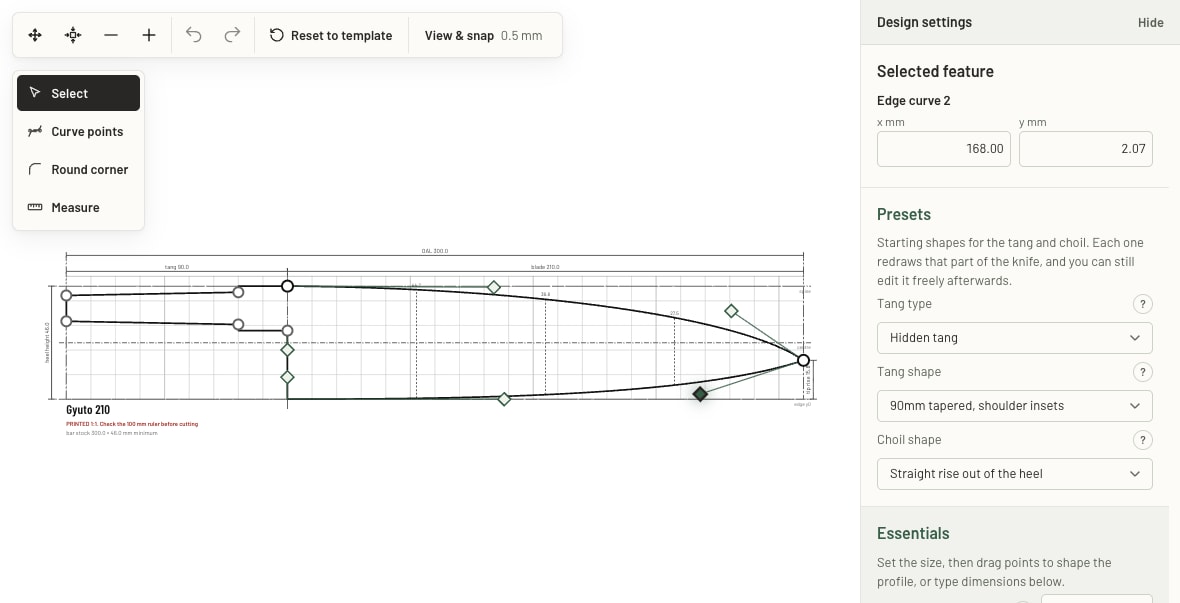
- Using the tool
Editing a template in the browser
- Reading time
- 3 min
- By
Shape the blade, adjust the handle and work towards the knife you have in mind.
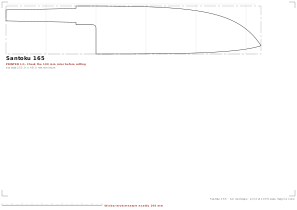
- Using the tool
Printing at actual size
- Reading time
- 3 min
- By
Get the scale right, line up your sheets and take your outline to the bench.
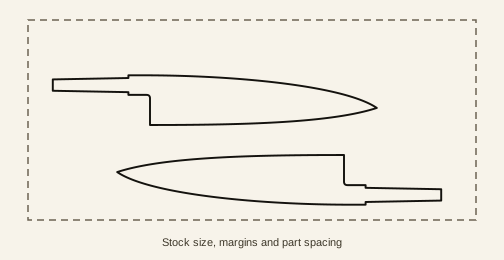
- Using the tool
Fitting blanks on a bar
- Reading time
- 3 min
- By
Fit your blanks on a bar and leave enough room for the cuts.
Write for makers
Help other makers
A tool you like. A jig you made. A heat treatment technique. A mistake another maker could learn from.
Write a guideSaved as a draft first. Reviewed before it goes public.
Good guides start conversations.
Got a question, a correction or a technique of your own? Leave a comment on a guide and help the next maker along.
Find a guide to discussThe pinboard
Nothing is pinned here yet.
Save your designs, share a template or a pack of them, and pass on what you have learned. Your free account is your maker profile, and the first sheet could be yours.